Election Information
To help you seamlessly access voter education and polling location information, Reach integrates this data directly into the app from IWillVote.com. IWillVote.com is a national database of real-time election information which is maintained by the Democratic Party for use by the broader movement. You can view up-to-date voter education information and polling location data right within Reach during your community canvassing or relational organizing interactions without ever needing to leave the app, and easily send that information to the voter you’re talking to.
Do keep in mind that this sort of data changes frequently, so what you see here for a given voter one day may be different the next day and for long stretches of time, there may be no data available for much of the country.
“Election Information” Tab on the Person Screen
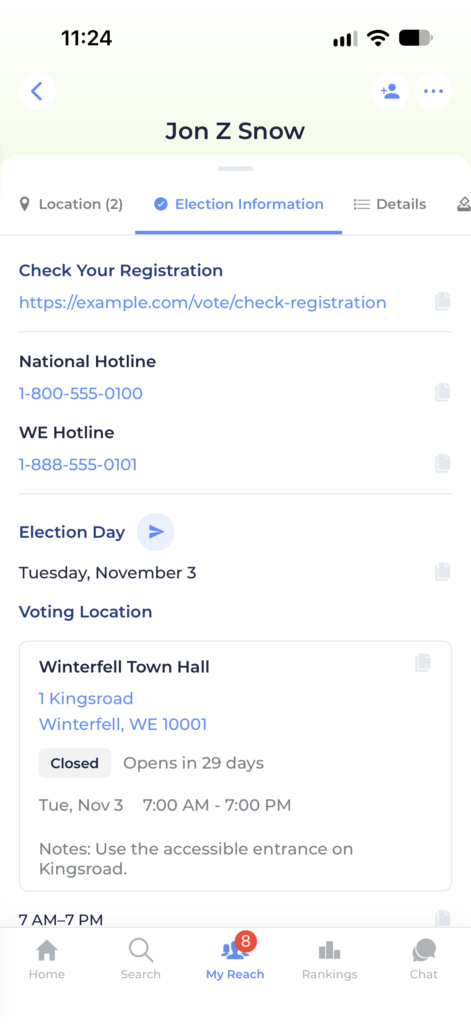
If your campaign has this feature enabled, when viewing any person who is a voter, you will now see a dedicated Election Information tab on their profile that may include some or all of the following:
- Election Date, Times, and Polling Location
- Early Voting Dates, Times, Locations, and guidelines with real-time “Open Now” badges
- Mail Ballot Request Deadline
- Mail Ballot Return Deadline
- Voter Registration Information and link to check registration
- Ballot Drop Box Locations and Times
- Voter Support Hotline Phone Numbers
- ID Requirements
Sharing Election information
You can easily share information about upcoming deadlines and polling locations to the voters you’re canvassing using several methods:
- Next to some of the headers on the Election Information tab, you’ll see a blue “Send” button with a paper airplane icon. Tap that button and you’ll be able to pick from the available contact information you can see for that voter. Based on whichever type of contact info you select, Reach will pre-fill a message in your own texting app, email app, or any other app you choose to use to message the voter.
- Each piece of information on the tab also has a gray “Copy” button next to it. You can use this button to copy the data and paste it wherever you like.
- Your campaign might also choose to provide Contact Scripts which incorporate Election Info. You can access those by tapping the blue “Message” or “Email” Contact Action buttons at the top of the screen right under the voter’s name and finding them in your Contact Script Picker.
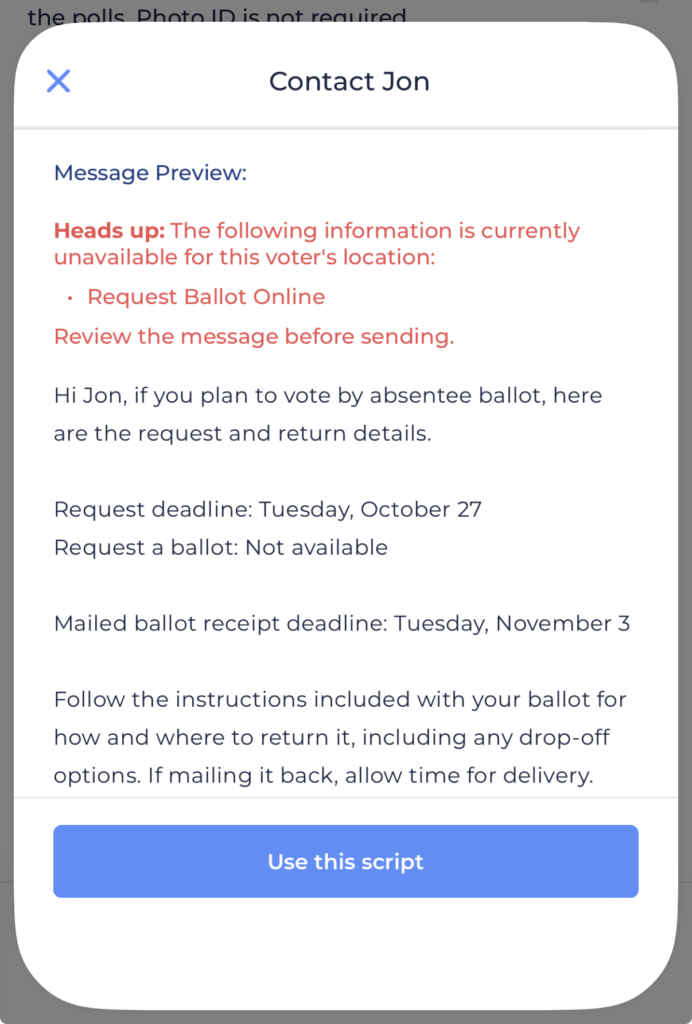
Election Information Missing from a Contact Script
Please note that since not all election information is available for every voter at all times, it is possible the script you choose will be looking for some information which is not available for that voter. In this case, Reach will display a warning with the missing data called out in Red so you can be sure to adjust the message before you send it.