IWillVote Integration
IWillVote.com is a website and API service created and maintained by the DNC to crowd-source and provide accurate real-time election and voter eduction information. Reach offers an integration with IWV to allow you to surface this data to your users right there in the Reach app!
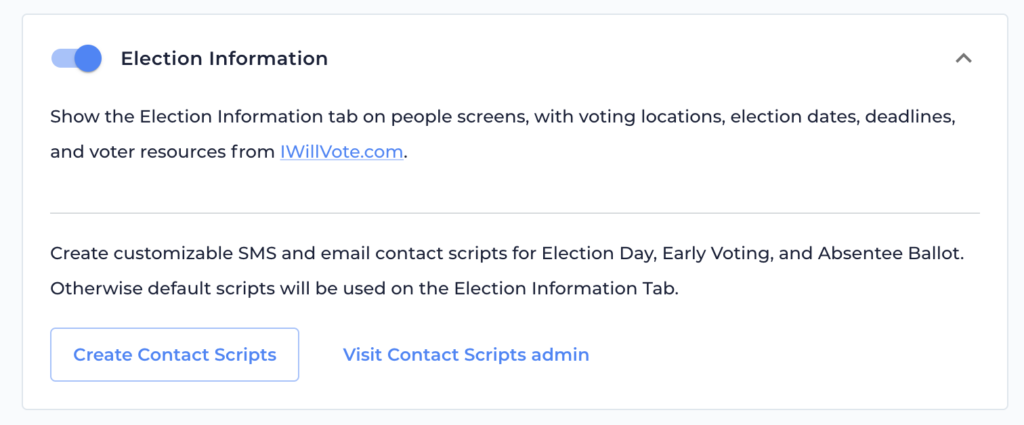
You can enable or disable the IWV integration from the Campaign Settings Admin Screen or the Integrations Admin Screen. It is automatically enabled for all new Reach campaigns. If your campaign has this feature enabled, when viewing any person who is a voter, your users will now see a dedicated Election Information tab on that voter’s person screen that may include some or all of the following:
- Election Date, Times, and Polling Location
- Early Voting Dates, Times, Locations, and guidelines with real-time “Open Now” badges
- Mail Ballot Request Deadline
- Mail Ballot Return Deadline
- Voter Registration Information and link to check registration
- Ballot Drop Box Locations and Times
- Voter Support Hotline Phone Numbers
- ID Requirements
Customizing Election Information Scripts
When browsing the Election Information tab, users will have the ability to send the voter a text message or email with the key data points from each section. By default, Reach provides a pre-written script for both texting and emailing Election Day Info, Early Voting Info, and Absentee Info. These scripts will be available in all languages supported by Reach.
You can customize those scripts by tapping “Create Contact Scripts” in the Election Information feature block, selecting the scripts you would like to customize, and tapping “Create Contact Scripts”. Then go to the Contact Scripts Admin to customize your scripts. Those scripts will also be available to your Users in the Script Picker. Note that when a User goes to send information that is unvailable to a Voter, they will get a warning that the information is unavailable and that the script will be incomplete.
Adding Election Information to Any Script
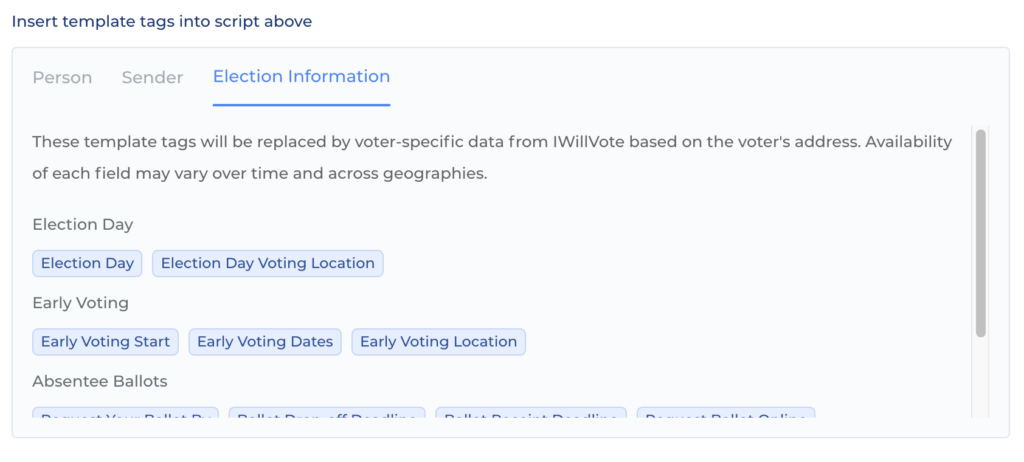
When you turn on Election Information, you will see options for Template Tags to use in all of your Contact Scripts. When creating your script, go to the Election Information tab under Insert Template Tags. You will find Template Tags related to Election Day, Early Voting, Absentee Voting, and other voting information to automatically pull in information such as polling location, early voting dates and times, and more into your scripts.